Trusted by over
3000 SME’s
in Hungary

Capture once, trust forever.

Centralise invoices from email, browser, and NAV, automatically.

Powering modern businesses’ financial operations.

From early-stage startups to established enterprises.

Built for financial operations that move in rhythm.

Financial work isn’t complex, it’s constant.
QUiCK is shaped around fast, repetitive financial moves: capturing data, validating it at the right moment, and turning it into a system that stays clean, reliable, and in sync with how your business actually operates.

When numbers don’t feel safe to act on.
Portals
Uploads
When invoices come from everywhere.
When every payment needs a second look.
Invoice management shouldn’t be complex.

Here’s how invoice automation works with QUiCK.

Collect invoices with minimal effort.
Turn invoices into usable data.
Catch issues before they become problems.
Keep invoices useful, not just stored.
Collect invoices with minimal effort
  • Forward invoices directly from email
  • Upload files manually when needed
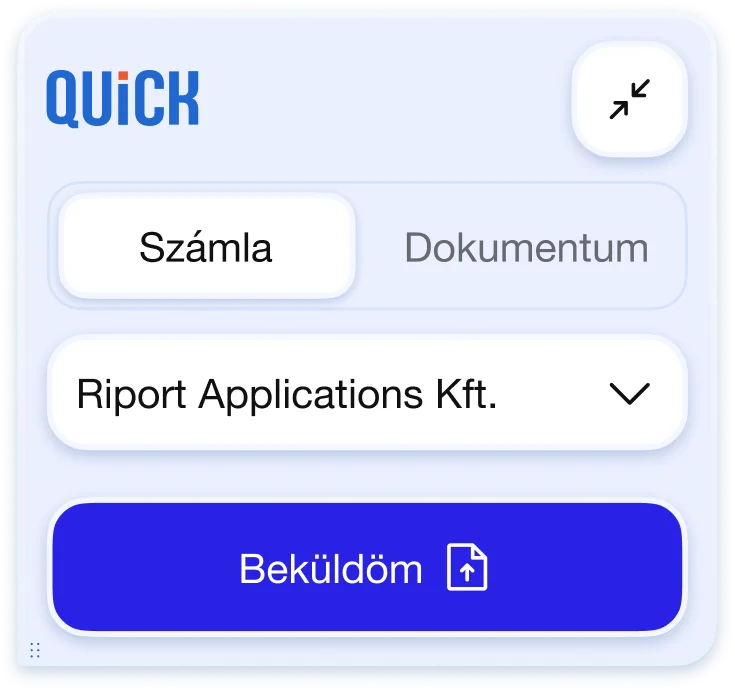
  • Capture invoices via the browser extension
  • Receive invoices automatically from invoicing systems and NAV
Turn invoices into usable data.
  • Automatically read invoice documents
  • Extract key fields like vendor, totals, VAT, and dates
  • Convert documents into structured financial data
  • Make invoices searchable and ready for reporting
Catch issues before they become problems.
  • Match invoices with NAV data automatically
  • Detect duplicates or mismatched invoice details
  • Validate data during payment preparation
  • Surface potential errors before accounting
Keep invoices useful, not just stored.
  • Categorise invoices with tags and rules
  • Export clean data to accounting tools
  • Maintain structured, auditable records
  • Access invoice data whenever you need it
Collect invoices with minimal effort
  • Forward invoices directly from email
  • Upload files manually when needed
  • Capture invoices via the browser extension
  • Receive invoices automatically from invoicing systems and NAV
Turn invoices into usable data.
  • Automatically read invoice documents
  • Extract key fields like vendor, totals, VAT, and dates
  • Convert documents into structured financial data
  • Make invoices searchable and ready for reporting
Catch issues before they become problems.
  • Match invoices with NAV data automatically
  • Detect duplicates or mismatched invoice details
  • Validate data during payment preparation
  • Surface potential errors before accounting
Keep invoices useful, not just stored.
  • Categorise invoices with tags and rules
  • Export clean data to accounting tools
  • Maintain structured, auditable records
  • Access invoice data whenever you need it
The easiest way to get invoices into one system.

Invoices don’t arrive one way. QUiCK supports multiple intake methods, manual and automatic, and handles them all in the same reliable system.

Browser extension

Save invoices directly from websites using the QUiCK browser extension. No downloading, renaming, or re-uploading files.

Drop your files here

Invoice integrations

Invoices flow into QUiCK automatically from connected invoicing platforms like Számlázz.hu.

Email forwarding

Send supplier invoices directly from your inbox to QUiCK. Works with individual or shared finance email addresses.

Upload invoices manually

Upload invoice files anytime for one-off cases or historical documents.
Supports individual and bulk uploads.

NAV Online invoice reporting

Invoices reported to NAV are collected automatically and added to QUiCK. Helps ensure completeness and regulatory alignment.

Upload invoices manually

Upload invoice files anytime for one-off cases or historical documents.
Supports individual and bulk uploads.

Built with security and
compliance in mind

QUiCK is designed to handle sensitive financial data responsibly, from access control to long-term archiving.

Secure your finical workflows

Secure access and data handling

Access to invoice data is protected with role-based permissions and encrypted storage, ensuring only authorised users can view or manage sensitive information.

Compliance with Hungarian regulations

QUiCK supports NAV Online Invoice reporting and Hungarian archiving regulations, helping businesses stay aligned with local compliance rules.

Reliable archiving and audit readiness

Invoices are stored in a consistent, traceable format — making them easy to retrieve for audits, accounting, or internal reviews.

Operational reliability

QUiCK is designed for day-to-day financial operations — with stable infrastructure and continuous monitoring to keep invoice workflows running smoothly.

Built with security and
compliance in mind

QUiCK is designed to handle sensitive financial data responsibly, from access control to long-term archiving.

Secure your finical workflows

Secure access and data handling

Access to invoice data is protected with role-based permissions and encrypted storage, ensuring only authorised users can view or manage sensitive information.

Compliance with Hungarian regulations

QUiCK supports NAV Online Invoice reporting and Hungarian archiving regulations, helping businesses stay aligned with local compliance rules.

Reliable archiving and audit readiness

Invoices are stored in a consistent, traceable format — making them easy to retrieve for audits, accounting, or internal reviews.

Operational reliability

QUiCK is designed for day-to-day financial operations — with stable infrastructure and continuous monitoring to keep invoice workflows running smoothly.

Trusted by teams who handle invoices every day

From growing businesses to accounting partners, QUiCK is used to collect, process, and manage invoices as part of daily financial operations.

Try for yourself
Pricing that fits how you manage invoices
Larger teams
Multibox
For growing teams that need access control and automation.
22,000HUF
33,900HUF
/month + VAT
Includes:
Everything in Smartbox
Role-based access and approvals
Advanced document management
Custom invoice processing rules
Complex organisations
Enterprise
For organisations with advanced requirements and needs.
Custom
Let’s talk
Includes:
Everything in Multibox
Custom automations and scripts
Dedicated support and onboarding
Extended limits and integrations

Frequently asked questions

I don't have a Számlázz.hu account yet, do I need one for QUiCK?

QUiCK can be used to manage supplier invoices without a Számlázz.hu account, but you will not be able to enjoy many automations in this case. These include: - receiving bank data based on cash register, - legal digital archiving. In addition to Számlázz.hu, QUiCK can also be connected to Billingo invoicing, but in this case we will only synchronize your outgoing invoices issued in Billingo. To receive NAV data or bank data into the QUiCK account, you will need a Számlázz.hu #profi subscription ( or QUiCK's own NAV connection ) , but you do not need to invoice with Számlázz.hu, as in this case your QUiCK account will also synchronize your sales invoices issued elsewhere.

What is an Intelligent Document Management System (IDL)?

Intelligent Document Processing (IDP) is a broad term that refers to the modern and fast handling of documents present in enterprises using various technologies via simple data transfer interfaces (from OCR to machine vision to artificial intelligence solutions). In recent years, these technologies have typically been available to larger organizations with gigantic, but still profitable investments. QUiCK is in a sense such an IDP system, as it combines many elements of the above technologies, the most important of which are: Your domestic account data can be immediately available to you through the data interfaces of Számlázz.hu and NAV, bypassing the traditional filing and data recording process. (Számlaverzum) Instead of physically receiving and filing invoice images, you can keep digital versions of them in a secure environment, in one place, and you can even forget about scanning them if your suppliers forward their invoices to your QUiCK alias email address. Our optical character recognition technology, called autoscan, recognizes the most important data of the invoice from invoice images with great efficiency, which allows you to process foreign invoice images much faster or automatically match domestic invoice images with NAV data, even in bulk. Számlázz.hu's archiving infrastructure allows you to completely paperless the storage of supplier invoices, along with legally compliant authentication.

What does it mean that QUiCK also collects my invoices via email?

Every QUiCK account is assigned a so-called technical email address, which we call an alias. You will receive the technical email address after registration. The invoices that you direct to this technical email address will automatically arrive in your QUiCK account. In addition, you can use the QUiCK browser extension to get your invoices into your QUiCK account with just a few clicks. The above account image upload methods can also be used for foreign accounts.

Do invoices received from NAV include an invoice image?

No. However, we will generate one for you so that you can easily navigate through the invoice data. We will add all invoices from NAV without an invoice image to the "incomplete" invoices in your QUiCK account, as there is no invoice image for these, i.e. your accountant cannot work with them. However, if you send the invoice image associated with the NAV data to the QUiCK account via an alias email address or a browser extension, they will be automatically matched. With this method, or even with the bulk invoice image upload, you do not need to upload invoice images to NAV data one by one.

Does NAV data matching work for bulk uploaded domestic invoice images?

In the case of both mass upload and e-mail invoice receipt, the queryable incoming invoice data from the NAV Online Invoice system is automatically matched depending on the efficiency of the OCR, so there is no need to upload a unique invoice image for NAV data. We also generate a unique invoice image for invoice data from NAV that does not have an invoice image. The matching with the real invoice image does not depend on the order of arrival of the different data, i.e. the matching logic works even if the NAV data arrives earlier and even if the invoice image is entered into the system first. More information is available in our knowledge center.

What account grouping options are available in QUiCK?

You can categorize your sales and expenses in several ways. On the one hand, you can give transactions unique categories, similar to general ledger numbers, and on the other hand, you can assign them an unlimited number of tags. Tags can be project identifiers, secondary controlling tags, or even tags that indicate a process. QUiCK automatically categorizes an already categorized partner for the next incoming invoice. You can achieve a similar effect with auto tags, but you can also assign so-called plain tags to your transactions, which are not automatically assigned for the next invoice. You can find more information in our knowledge center.

What built-in reports are available in the Okosbox package?

The Okosbox package contains all the statements that QUiCK can currently handle. These are the following: - quick cards on VAT position, profit, suppliers' and customers' receivables, - Monthly results table with drill-down option, - 30-day liquidity planner with account aging, - Collection assistance in the Pulse menu, open customer account details, - Interactive VAT estimator analytics in the Pulse menu, - in case of active cash register, bank account balance display and cash forecast.

Can I upload other documents related to supplier invoices to QUiCK?

You can also upload delivery notes, contracts and other supporting documents to QUiCK, and the Multibox package now includes your own document management and a unique technical (alias) email address for document receipt.

What is an Intelligent Document Management System (IDL)?

Intelligent Document Processing (IDP) is a broad term that refers to the modern and fast handling of documents present in enterprises using various technologies via simple data transfer interfaces (from OCR to machine vision to artificial intelligence solutions). In recent years, these technologies have typically been available to larger organizations with gigantic, but still profitable investments. QUiCK is in a sense such an IDP system, as it combines many elements of the above technologies, the most important of which are: Your domestic account data can be immediately available to you through the data interfaces of Számlázz.hu and NAV, bypassing the traditional filing and data recording process. (Számlaverzum) Instead of physically receiving and filing invoice images, you can keep digital versions of them in a secure environment, in one place, and you can even forget about scanning them if your suppliers forward their invoices to your QUiCK alias email address. Our optical character recognition technology, called autoscan, recognizes the most important data of the invoice from invoice images with great efficiency, which allows you to process foreign invoice images much faster or automatically match domestic invoice images with NAV data, even in bulk. Számlázz.hu's archiving infrastructure allows you to completely paperless the storage of supplier invoices, along with legally compliant authentication.

How effective is your OCR solution?

In the case of domestic accounts, our system guesses the data with over 85% accuracy regarding the invoice header data. In the case of foreign accounts, this is 74%.

Does NAV data matching work for bulk uploaded domestic invoice images?

In the case of both mass upload and e-mail invoice receipt, the queryable incoming invoice data from the NAV Online Invoice system is automatically matched depending on the efficiency of the OCR, so there is no need to upload a unique invoice image for NAV data. We also generate a unique invoice image for invoice data from NAV that does not have an invoice image. The matching with the real invoice image does not depend on the order of arrival of the different data, i.e. the matching logic works even if the NAV data arrives earlier and even if the invoice image is entered into the system first. More information is available in our knowledge center.

What does it mean that QUiCK also collects my invoices via email?

Every QUiCK account is assigned a so-called technical email address, which we call an alias. You will receive the technical email address after registration. The invoices that you direct to this technical email address will automatically arrive in your QUiCK account. In addition, you can use the QUiCK browser extension to get your invoices into your QUiCK account with just a few clicks. The above account image upload methods can also be used for foreign accounts.

Why is Számlázz.hu infrastructure needed?

QUiCK can be used to manage supplier invoices without a Számlázz.hu account, but you will not be able to enjoy many automations in this case. These include: - receiving bank data based on cash register, - legal digital archiving. In addition to Számlázz.hu, QUiCK can also be connected to Billingo invoicing, but in this case we will only synchronize your outgoing invoices issued in Billingo. To receive NAV data or bank data into the QUiCK account, you will need a Számlázz.hu #profi subscription ( or QUiCK's own NAV connection ) , but you do not need to invoice with Számlázz.hu, as in this case your QUiCK account will also synchronize your sales invoices issued elsewhere.

What account grouping options are available in QUiCK?

You can categorize your sales and expenses in several ways. On the one hand, you can give transactions unique categories similar to general ledger numbers, and on the other hand, you can assign them an unlimited number of tags. Tags can be project identifiers, secondary controlling tags, or even tags that indicate a process. QUiCK automatically categorizes an already categorized partner for the next incoming invoice. You can achieve a similar effect with auto tags, but you can also assign so-called plain tags to your transactions, which are not automatically assigned for the next invoice. You can find more information in our knowledge center, or if you choose the Multibox package, request a free consultation. In QUiCK, account approval and access rights are also controlled by tags and categories. Please also inquire with us about automatic revenue categorization, as this is also possible as part of a custom development.

Can smart cost categorization be turned off?

Yes, it can be disabled as part of a custom development.

What built-in reports are available in the Multibox package?

The multibox package contains all the statements that QUiCK can currently handle. These are the following: - quick cards on VAT position, profit, supplier and customer receivables, - monthly results table with drill-down option, - 30-day liquidity planner with account aging, - collection assistance in the pulse menu, open customer account details, - interactive VAT estimator analytics in the pulse menu, - in case of active cash register, bank account balance display and cash forecast.

Can I upload other documents related to supplier invoices to QUiCK?

You can also upload delivery notes, contracts and other supporting documents to QUiCK, and the Multibox package now includes your own document management and a unique technical (alias) email address for document receipt.

Start managing invoices with confidence

QUiCK brings invoice intake, verification, and compliance into one reliable system, designed for how financial work actually happens.